Looksmaxxing AI - Face Card
- 0.0
- Rating
- 10.00K
- Installs
- Free
- Price
 Analysis by App-foxy
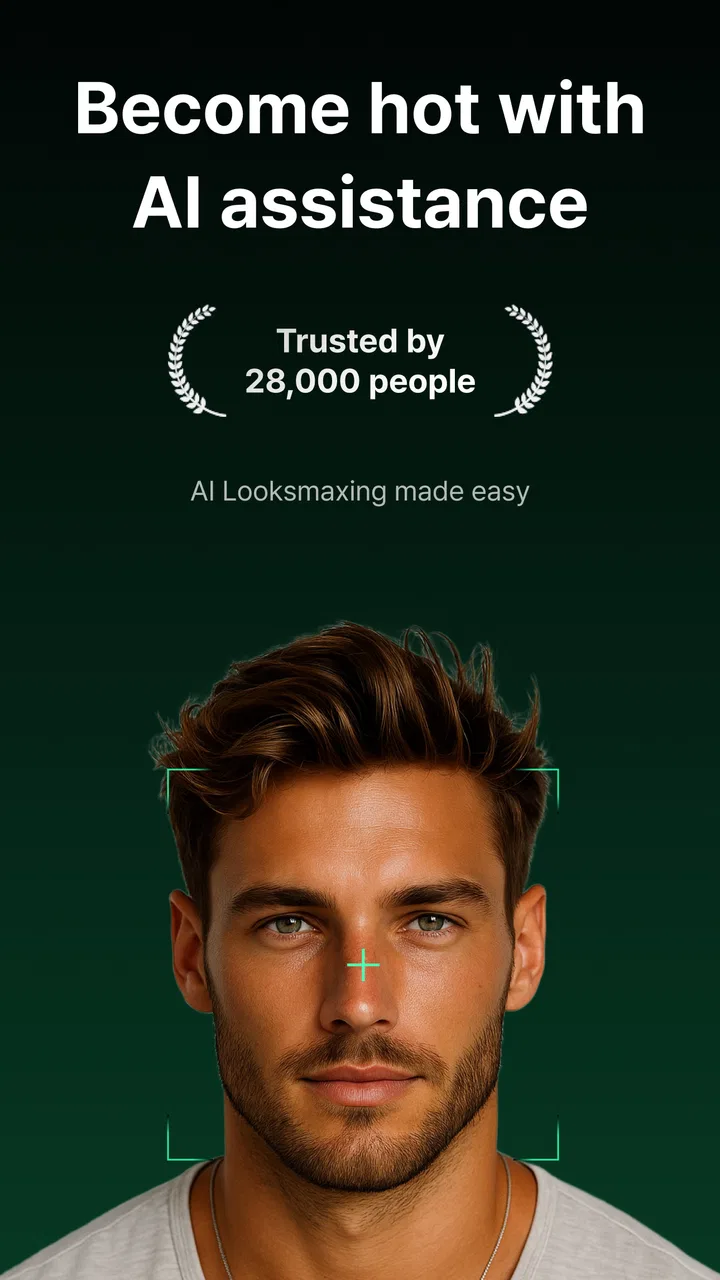
I approached Looksmaxxing AI - Face Card as a quick beauty companion rather than a complete makeover system. Its central idea is simple: use one photo to receive a face analysis and suggestions for improvement. That makes it appealing when I want a fast second opinion without building a long skincare routine or booking a consultation. At the same time, the simplicity creates expectations the app cannot reasonably meet. A photo-based opinion can be useful for presentation and grooming choices, but it should not be treated as a medical assessment or as an objective judgment of attractiveness.
This Android beauty app comes from Sunday Work and is free to install, with optional in-app purchases ranging from forty-nine cents to three dollars and ninety-nine cents per item. It is aimed at Everyone, runs on Android six and later, and the current version is 1.0.6. The app has passed ten thousand installs, while its displayed average rating is 0.0, so I would treat the install figure as evidence of interest rather than proof of consistently tested quality.
Getting past the first photo and setup hurdles
The first place I would expect users to get stuck is the image itself. A face-analysis tool depends heavily on how the photo is taken, so a dark selfie, a strong beauty filter, sunglasses, a cropped forehead, or a face turned sharply to one side can make the result less useful. Even when the app opens normally, the analysis may feel disappointing if the input does not show the face clearly and evenly.
You May Also Like

 AccuWeather: Weather Radar
AccuWeather Review: A Quick, Clear Forecast for Everyday Decisions
For everyday plans, the best forecast is the one you can understand quickly. AccuWeather makes rain timing, radar, and local conditions easy to act on, with a few trade-offs.

 Hill Climb Racing
Why Hill Climb Racing Still Turns Crashes Into One More Run
A tiny car, a bumpy hill and one more upgrade: Hill Climb Racing keeps resurfacing because its simple chaos makes every near-miss feel personal.

 AliExpress - Shopping App
AliExpress Makes Global Shopping Feel Personal, but Shoppers Bear the Risk
AliExpress turns a global marketplace into a pocket-sized discovery engine. Its reach is useful, its shopping loop compelling, and its trade-offs easy to miss.

 Lords Mobile: Kingdom Wars
Lords Mobile Is a Kingdom-Building Routine, Not a Quick Match
A case-by-case verdict on the building, battles, device demands, and social commitments that make Lords Mobile rewarding for some players and exhausting for others.

 PDF Scanner app - TapScanner
TapScanner Makes Paperwork Easier to Capture, Check, and Share
TapScanner makes scanning with a phone feel less like a rescue operation and more like a dependable step in getting work done. Its capture tools are useful, though not flawless.

 Block Blast!
 Shows How Much a Puzzle Game Can Leave Out
A quiet grid game shows why puzzle players increasingly value instant clarity, repeatable skill and low-pressure play—and where the genre still needs to catch up.
More From Our News Desk
View All News


I would start with a recent, unfiltered photo taken in soft, even light. A window in front of you is usually more helpful than a bright lamp above your head, because overhead light can create shadows under the eyes and nose. Keep the camera at roughly eye level and leave enough space around the face for the image to show its shape naturally. The goal is not to create a glamorous portrait; it is to give the app a readable reference.
That distinction matters. If I use a heavily edited selfie, the result may reflect the editing more than my everyday appearance. If I use a group photo, the app may not know which face to assess or may frame the wrong subject. A plain solo image is less exciting, but it is a better test of what the tool can actually do.
Another practical check is the phone itself. Because the minimum operating requirement is Android 6.0, older devices may technically qualify while still struggling with camera handling, image processing, storage, or background activity. If the screen freezes after selecting an image, I would first close other demanding apps, reopen Face Card, and try a smaller, ordinary photo rather than immediately assuming the analysis service is broken.
It is also worth checking whether the problem happens with every image or only one. A single failed upload can point to an unsuitable file, an unusually large picture, or a temporary reading issue. Trying a freshly taken photo gives a much cleaner diagnosis than repeatedly selecting the same image from a crowded gallery.
The most useful setup habit is to treat the first scan as a baseline, not a verdict. Take one straightforward photo, note the suggestions that seem practical, and avoid changing several parts of your appearance at once. If the advice mentions hair, facial hair, skin presentation, or general grooming, I would test one manageable change and then reassess later under similar lighting.
What to do when the result feels wrong
Photo-based analysis can be sensitive to angle and expression. A wide smile changes the apparent shape of the cheeks and jaw. A low camera position can make the lower face look stronger, while a close lens can exaggerate central features. This is why I would not repeat scans obsessively in search of a more flattering answer. That turns a casual beauty tool into a source of unnecessary self-criticism.
A better workflow is to take two or three neutral photos under comparable conditions, then look for suggestions that remain broadly sensible. If one result changes dramatically because I moved the phone slightly, I would consider that a limitation of the image input rather than a meaningful change in my face. The app can offer prompts for reflection, but it cannot replace consistent observation or professional advice.
Users may also wonder whether the app is suitable for skincare concerns. I would keep expectations modest. Face Card belongs in the beauty and appearance category, so its suggestions may help with presentation and grooming decisions, but a visual analysis should not be used to diagnose acne, irritation, pigmentation, allergies, or any other health issue. Persistent or painful skin problems are better discussed with a qualified clinician.
The same caution applies to dramatic appearance changes. If a suggestion encourages a new hairstyle or grooming approach, that is a reversible experiment. A recommendation that leads toward aggressive dieting, unregulated products, or invasive procedures deserves much more skepticism. I would use the app to generate low-risk ideas, not to authorize a major physical decision.
Recovering when the workflow breaks
If the app opens but does not complete the process, I would use a simple recovery sequence. First, return to the beginning and choose a clear image from the device rather than a screenshot of a screenshot. Next, close and relaunch the app. Then test a different photo with a smaller file size and a plain background. These steps separate a bad image from a temporary app or device problem without requiring complicated technical changes.
If the camera route is awkward, selecting an existing portrait may be the more reliable path when that option is available in the current interface. A photo already saved on the phone also lets me compare results over time, because I can keep the lighting and framing more consistent. I would avoid using a photo with filters, stickers, or heavy compression, since each extra layer makes the output harder to interpret.
When optional purchases appear, I would read the purchase screen carefully before confirming anything. The app is free to install, but individual in-app items can cost between forty-nine cents and three dollars and ninety-nine cents. I would not pay simply because a scan failed or because the first result felt vague. A purchase should solve a clearly understood need, not act as a gamble for a better opinion.
There is also a useful distinction between a technical failure and an unsatisfying answer. If the app crashes, will not accept an image, or gets stuck before showing a result, that is a workflow issue. If it completes the analysis but gives broad suggestions, that is a product limitation. Restarting the phone may help the first situation; it will not make general advice suddenly become personalized coaching.
For privacy-conscious users, my practical advice is to choose images deliberately. Use a photo you are comfortable processing through a beauty app, avoid including other people, and do not use an image that reveals information you would rather keep private. I would also remove unnecessary background details before selecting a picture. This is not about making the result more attractive; it simply keeps the test focused on the subject.
When the phone is not really the problem
It is easy to blame the application when the real issue is the environment. Weak lighting, a smudged lens, a reflective screen, unstable connectivity, or an outdated device can all make a simple photo workflow feel unreliable. Before deciding that Face Card is unusable, I would test it in a bright room, clean the lens, keep the phone steady, and try a normal portrait rather than a highly edited image.
There is another source of frustration: the difference between what a user wants and what a one-photo tool can provide. Someone looking for a detailed skincare routine, ingredient guidance, face-shape measurements, or a personalized medical opinion may find the experience too light. In that situation, the app is not necessarily malfunctioning. It is simply not the right kind of tool for the question being asked.
Compared with a mirror, the app has one clear advantage: it can encourage me to look at grooming choices in a structured way instead of relying on a quick glance. Compared with a professional consultation, however, it lacks the human ability to ask follow-up questions, understand lifestyle, notice symptoms, and adapt advice to personal circumstances. Compared with general beauty videos or social media tutorials, it may feel more directly connected to one photo, but those alternatives can offer richer demonstrations and broader creative inspiration.
I would also be careful when comparing results with other people. Facial analysis tools can make appearance feel like a scorecard, even when the practical value is only in small suggestions. The healthiest use I found is to translate the output into neutral actions: improve lighting for a profile photo, try a different haircut, tidy facial hair, or build a simple consistent grooming habit. If the app makes me fixate on flaws instead, I would stop using it.
Who gets the most from this app
Face Card makes the most sense for someone who wants a quick starting point before changing a hairstyle, updating a profile picture, or improving everyday presentation. A student preparing for a first interview, for example, could take a neutral photo, use the analysis as a checklist, and then focus on reversible details such as hair arrangement, shaving, or a cleaner photo setup. The value is in turning vague uncertainty into a few ideas to consider.
It can also suit users who enjoy experimenting but do not want a complicated beauty platform. The free entry point lowers the barrier to trying the basic experience, and the Everyone age rating makes the intended audience broad. Still, younger users should be reminded that an automated appearance opinion is not a measure of personal worth, and adults should apply the same perspective.
I would skip it if I needed clinical skin guidance, guaranteed professional-quality styling, or a detailed plan based on more than one image. I would also skip it during a period when appearance feedback is likely to worsen anxiety or compulsive checking. A tool can be technically easy to use and still be emotionally unhelpful for a particular person.
For the best everyday workflow, I would take one unfiltered photo, read the suggestions once, choose only one or two low-risk changes, and compare the practical result in normal life rather than chasing a new scan. This avoids the common trap of adjusting lighting and angle until the output says what I hoped to hear. It also makes the app more useful as a planning prompt than as a constant judge.
My practical verdict after weighing the trade-offs
My view of Looksmaxxing AI - Face Card is cautiously positive for casual experimentation. Its appeal comes from immediacy: one photo can start a conversation about grooming and presentation without requiring a long setup. Sunday Work has positioned it as a beauty app, and that is the right way to frame it. I would use it for ideas, not authority.
The main friction is not necessarily installation. It is getting a fair photo, interpreting changing results sensibly, and knowing where automated appearance advice stops being appropriate. The current version, 1.0.6, is available for Android devices meeting the stated operating requirement, and the free installation makes a low-commitment trial reasonable. The optional purchases mean I would inspect each offer before spending, especially if the basic experience already answers my question.
The displayed 0.0 average rating gives me little reassurance about broad user satisfaction, despite the app having over ten thousand installs. I would therefore approach it as a lightweight tool still needing personal judgment, rather than as an established authority in beauty analysis. That does not make it worthless; it simply changes how much confidence I would place in its conclusions.
In the end, I would recommend trying Face Card if you want a fast, low-stakes way to think about a haircut, grooming routine, or portrait photo. I would not recommend relying on it for health decisions, major appearance changes, or reassurance that requires a human conversation. Used with a consistent photo, realistic expectations, and a willingness to ignore unhelpful advice, it can be a handy starting point. Used as a score or a substitute for professional care, it is the wrong choice.
FAQs for Looksmaxxing AI - Face Card
01What is Looksmaxxing AI - Face Card, and how does it work?
Looksmaxxing AI - Face Card is a mobile app designed to enhance your facial aesthetics using advanced AI technology. By analyzing your facial features, the app offers targeted suggestions and virtual modifications to help you achieve your desired look. Its intuitive interface allows users to seamlessly explore different styles and enhancements.
02Is Looksmaxxing AI - Face Card safe to use on my device?
Yes, Looksmaxxing AI - Face Card is safe to use. It adheres to strict privacy policies, ensuring that your data is secure and not shared with third parties. The app requires minimal permissions, mainly accessing your camera and gallery to provide the best user experience while maintaining your privacy.
03Do I need an internet connection to use Looksmaxxing AI - Face Card?
An internet connection is necessary for downloading the app and accessing certain features, such as updates and cloud-based AI processing. However, many of the app’s core functions, including basic facial analysis and suggestions, can be used offline once the app is installed on your device.
04Are there any in-app purchases in Looksmaxxing AI - Face Card?
Looksmaxxing AI - Face Card offers a free version with basic features. However, for a more comprehensive experience, including advanced AI suggestions and premium virtual modifications, users can opt for in-app purchases. These purchases enhance the app’s functionality, providing a broader range of customization options.
05Can Looksmaxxing AI - Face Card be used on both Android and iOS devices?
Yes, Looksmaxxing AI - Face Card is available for both Android and iOS platforms. The app is optimized to run smoothly on a wide range of devices, ensuring a consistent user experience regardless of the operating system. Check your device's app store for the latest version and compatibility information.
Pros
- Advanced AI for facial enhancement.
- User-friendly interface and design.
- Wide variety of filters and tools.
- Fast processing of images.
- Enhances natural look effectively.
Cons
- Some features require in-app purchases.
- Occasional image distortion.
- Limited free version access.
- Requires strong internet connection.
- May not suit all skin tones.

Looksmaxxing AI - Face Card
Gallery